Monopoly Deposit Declined
Monopoly Casino deposit declined? See what it looks like on your statement, which debit cards and wallets work, why payments fail and how to fix it.
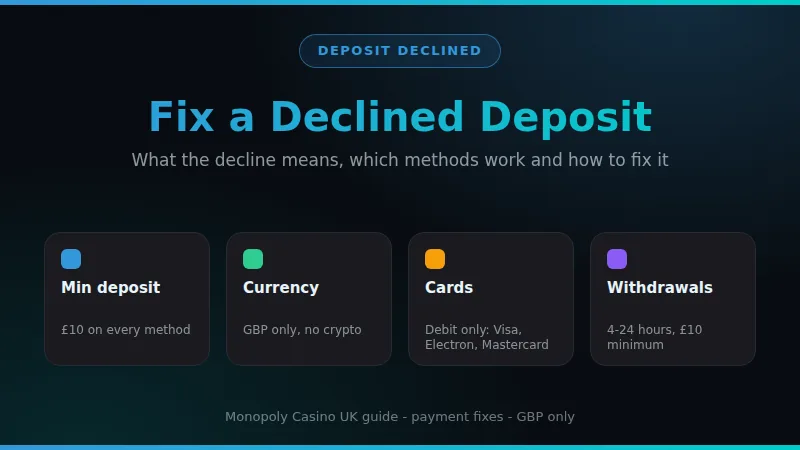
What a declined deposit looks like on your statement
A declined Monopoly Casino deposit almost always comes from your bank or card issuer, not from the casino. Check your balance, make sure online gambling payments are allowed on your debit card, confirm your details and 3-D Secure approval, deposit at least £10, then retry once. If it still fails, ring your bank.
When a deposit at Monopoly Casino fails, the first thing most people do is open their banking app and look for a trace. What you find depends on how the payment stopped. If the card was refused outright, the transaction normally never appears as a completed charge, and your balance stays exactly where it was. If the bank held the money for a moment before the payment was rejected, you may see a pending line that disappears by itself after a few working days.
That pending line is the part that worries people, because it looks as if money has left your account without a deposit arriving. It has not left in the way a settled payment does. It is an authorisation hold, a request that the issuer placed and then released. Banks differ in how quickly they clear these, and some apps hide them completely. Your available balance can look lower for a short while even though no real charge exists.
- The cashier shows an error or a declined message and your Monopoly Casino balance has not changed.
- Your bank app shows no completed transaction for the attempt, or a pending line that later vanishes.
- You receive a text or app notification from your bank saying a payment was blocked or needs confirming.
- No confirmation of the deposit reaches you, and the balance in your account stays the same.
- The welcome free spins do not arrive, because they depend on a £10 stake going through.
Now the opposite case, which matters just as much: the cashier shows an error, yet your bank shows a completed payment. This is rarer, but it can happen when a confirmation gets lost between the payment processor and the casino. Do not retry straight away. Wait a short while, refresh your balance and check again. A second attempt on top of a successful first one can leave you with a duplicate charge to sort out.
Merchant names on statements are often not what you expect. The line for a casino payment can carry the operator's legal name rather than the brand you play under. For Monopoly Casino the operator is Gamesys Operations Limited, so that name is worth searching for in your transactions list before you decide that nothing was taken. If you do find a charge for a deposit that never reached your balance, keep a screenshot and report it through the contact page.
Timing helps you read the picture. A refusal is instant, usually within seconds of tapping the button. A 3-D Secure request that you ignore expires after a few minutes and then fails. A bank hold, if there is one, lasts days. Match what you see against these three timings and you will know which of them you are dealing with.
The banking rails behind your deposit
A deposit looks like one tap, but several parties handle it. Your debit card belongs to an issuer, which is your bank. The card sits on a network, Visa or Mastercard. The casino's payment processor sends the request over that network, and your bank decides yes or no. A refusal can come from any step in that chain, and the casino itself rarely sees the exact reason. That is why the cashier message is usually vague, while your bank can often tell you precisely what happened.
Monopoly Casino takes deposits in pounds only. There is no crypto option and no other currency wallet, so every payment is a GBP transaction. A standard UK current account debit card is the smoothest fit. If your card is tied to a foreign currency or your bank treats unfamiliar merchants strictly, you may meet extra checks that an ordinary sterling debit card would not trigger.
-
1
You enter the amount
Choose at least £10 in the cashier and confirm the card or wallet you want to use.
-
2
The processor sends a request
The casino's payment processor passes the card details and the amount to the card network.
-
3
The network contacts your bank
Visa or Mastercard routes the request to the bank that issued your card.
-
4
Your bank runs its checks
It looks at funds, card status, gambling settings and fraud rules, and may ask you to confirm in your banking app.
-
5
The result returns
An approval adds the money to your balance. A refusal sends a decline message back to the cashier.
Wallets add one layer in front of this chain. Apple Pay and Google Pay store a tokenised version of a debit card on your phone, while PayPal holds its own balance and funding sources. In each case there is still a bank or a card behind the scenes, and a problem with that underlying source can stop the payment even when the wallet itself looks perfectly healthy.
UK rules shape the whole chain. Gambling on credit is not allowed, so only debit-based payments go through, which means debit cards and wallets funded by them are the normal route. Some banks also let customers switch on a gambling block inside their app, and that block applies to every gambling merchant, this one included. If you set one up during a difficult week and forgot about it, it will decline each attempt until you lift it.
-
Currency GBP only
-
Minimum deposit £10
-
Card type Debit only
-
Wallets PayPal, Apple Pay, Google Pay
-
Crypto Not supported
-
Withdrawals 4-24 hours
-
Operator Gamesys Operations Limited
These fixed points are useful when you are troubleshooting. If your attempt was below £10, it will not be accepted. If you tried a method outside the accepted list, it will fail no matter how healthy your bank balance is. Always rule out these basics before assuming your bank is the problem, because they take ten seconds to check and save a lot of calls.
All payment methods in one table
The table below puts the accepted deposit methods side by side. Every method has the same £10 minimum. Where Monopoly Casino has not published a figure, the cell says Not published, so you can see at a glance what is known and what is not.
| Method | Type | Min deposit | Max deposit | Fee |
|---|---|---|---|---|
| Visa Debit | Debit card | £10 | Not published | Not published |
| Visa Electron | Debit card | £10 | Not published | Not published |
| Mastercard Debit | Debit card | £10 | Not published | Not published |
| PayPal | E-wallet | £10 | Not published | Not published |
| Apple Pay | Mobile wallet | £10 | Not published | Not published |
| Google Pay | Mobile wallet | £10 | Not published | Not published |
Withdrawals also have a £10 minimum and take 4-24 hours. Details on payouts are on the withdrawal times page.
Two things stand out. First, the minimum is identical across the board, so switching method never fixes a deposit that is simply too small. Second, every option is debit-based or wallet-based, which fits UK rules. If your attempt was £5 or £9.50, the cause is the minimum; raise the amount to £10 or more and try again.
Because maximums and fees are not published per method, do not rely on a figure from a forum or a friend. Your bank's own limits matter more in practice. Many accounts carry a daily card spending cap or a separate cap on gambling transactions, set in the banking app. If a larger deposit fails while £10 goes through, that cap is the first thing to check. Speed is easier to judge from how the payment behaves: card and wallet approvals come back in real time, so a refusal shows within seconds. If the cashier is still spinning after a couple of minutes, stop and look at your banking app instead of tapping the button again.
Wallets: PayPal, Apple Pay and Google Pay
Wallets are the quickest way round a card that keeps failing, as long as you understand what each one actually does. PayPal is an e-wallet with its own login, balance and funding sources. Apple Pay and Google Pay are phone wallets that store a tokenised copy of one of your debit cards and approve with a fingerprint, face scan or passcode. All three are accepted at Monopoly Casino with the same £10 minimum deposit.
PayPal declines usually come from the funding side rather than PayPal itself. If your PayPal balance is empty and the linked bank account or debit card refuses gambling payments, the payment fails. Check which source PayPal tries first, top up the balance if you prefer to pay from it, and make sure the name and address on your PayPal match your casino account. Apple Pay and Google Pay fail for different reasons. The card inside the wallet may have expired, been replaced after a loss or fraud alert, or never been verified properly with the bank. Removing the card from the wallet and adding it again clears most of these, and so does making sure the device is unlocked and your connection is stable.
Strengths
- Quick approval with a fingerprint, face scan or passcode.
- You do not type or share the full card number.
- It is easy to switch to a different funding card.
Worth knowing
- The card or bank behind the wallet can still refuse the payment.
- Names and addresses should match your casino account.
- You need a supported device or a working PayPal login.
Wallets also help you tell where the problem sits. If a debit card fails when typed in but the same card works through Apple Pay or Google Pay, the issue is probably a typo, an address mismatch or a 3-D Secure step in the card form. If it fails everywhere, the bank is the likely cause. That single test saves a lot of guessing.
One more practical point: do not rotate through every wallet in quick succession. Each failed attempt can create another pending hold, and a string of refusals within minutes can itself trigger the bank's fraud rules. Try one wallet, check the result, and move on only when you have a reason to.
Debit cards: Visa Debit, Visa Electron and Mastercard
Debit cards are the core of deposits here, and they are also the most common source of declines. Visa Debit and Mastercard debit cards are the usual choice for UK players. Visa Electron is a debit-only type that some banks issue, and it tends to check your balance live on every payment, which makes it less forgiving when funds are thin.
Visa Debit
The most widely held option on UK current accounts. Make sure online gambling payments are allowed in your banking app and that 3-D Secure is set up.
Visa Electron
Debit only, and usually checked against your live balance. A low balance or a small overdraft limit is a frequent reason for refusal.
Mastercard Debit
Another common debit choice. Declines often trace back to expired details, a wrong billing address or a gambling block set in the bank app.
Whatever the logo on the card, the same handful of checks solves most debit card declines. The steps below follow the order that fixes the most cases with the least effort. Work through them once, in order, rather than trying five things at the same time, so that you know which one actually made the difference.
-
1
Check the balance
Make sure the account holds at least the deposit amount, with a little to spare in case your bank reserves a buffer.
-
2
Re-enter the details
Retype the card number, expiry date and security code slowly, using the billing address your bank holds.
-
3
Approve 3-D Secure
Open your banking app when prompted and approve the request quickly, before the prompt expires.
-
4
Allow gambling payments
Look at card controls, gambling blocks and spending limits in your banking app, and lift any that stop the deposit.
-
5
Try exactly £10
A minimum payment shows whether the card works at all and whether a larger amount hit a cap.
-
6
Phone your bank
Use the number on the back of the card and ask why the payment was refused and whether it can be approved.
Expiry is a quiet culprit. A replacement card keeps the same account but has a new number, expiry date or security code, and saved details from the old card will fail. If your bank sent you a new card recently, remove the old saved card and add the new one. Address mismatches are the other classic. The payment check compares the billing address you enter with the one on file at your bank. A recent move, a flat number typed differently or a postcode with a missing space can be enough to cause a refusal, so use exactly what appears on your bank statement.
A last word on card choice: use a standard personal debit card in your own name. Joint accounts, business cards and some pre-paid or youth products may restrict gambling by default, and the name on the card should match the name on your casino account. If the card is not yours, the bank or the casino can refuse the payment, and that is a rule worth respecting.
Why your payment was declined
Behind the generic error there are only a few real reasons, and the fix depends on which one applies. Some belong to your bank, some to your own settings and some to the basic rules of the cashier. The cards below cover the six that come up most often.
Not enough funds
The balance, or the available overdraft, is below the deposit amount. Even a few pence short causes a refusal. Top up, or lower the amount while keeping to the £10 minimum.
Gambling block
Many UK banks let you block gambling payments in the app. The block stays on until you switch it off, and it applies to every gambling merchant.
Failed 3-D Secure
Your bank asked you to confirm in an app or by text and the request expired or was rejected. Approve it promptly on the next attempt.
Wrong or old details
Typos, an old expiry date, a replaced card or a billing address that does not match the one your bank holds all lead to refusals.
Card or bank limit
Daily spending, online payment or per-transaction limits can stop a larger deposit. Check the limits in your banking app and adjust them if you wish.
Account restriction
A GAMSTOP self-exclusion, a closed account or a safer-gambling restriction stops deposits until it ends or is lifted.
Sometimes two reasons stack. A new card with a typo in the address, a low daily cap and an unapproved 3-D Secure request can all apply to the same attempt, and fixing one reveals the next. Work through the table below from top to bottom rather than stopping at the first cause that seems plausible, and change one thing at a time.
| Reason | Decided by | Typical fix |
|---|---|---|
| Low balance | Your bank | Top up |
| Gambling block | Your bank | Switch off |
| 3-D Secure | Your bank | Approve fast |
| Wrong details | You | Retype |
| Daily cap | Your bank | Raise limit |
| Below minimum | Cashier | Deposit £10+ |
| Self-exclusion | GAMSTOP | Wait it out |
Work down the list in this order: balance and blocks are quick to check, limits and exclusions take longer to change.
A declined payment is not a verdict on you. Banks run automated rules that sometimes refuse perfectly legitimate payments, and gambling merchants are often tagged as higher risk simply because of the category. A refusal does not mean you did something wrong, and it rarely means anything is amiss with your account.
Safer-gambling checks are a separate matter. UK operators have to assess whether play looks affordable, and in some cases that can lead to extra questions or limits. The page on financial risk assessments explains how these checks work. Limits you set yourself count too: a deposit limit in your player account settings stops payments once it is reached, and a cooling-off period or self-exclusion blocks them outright. If you registered with GAMSTOP, deposits will not be possible until that period ends. If gambling has stopped feeling like fun, BeGambleAware and GamCare offer free, confidential support.
Common mistakes that cause repeat declines
Most repeat declines come from habits rather than faults. Retrying the same failed payment five times is the best example: each attempt can leave a pending hold, and a run of refusals looks like card testing to a bank's fraud system, which can lead to the card being frozen. One careful retry after a fix beats ten fast ones every time.
- Retrying again and again without changing anything, which can get the card frozen.
- Entering an amount below the £10 minimum.
- Using a card type or payment method that is not on the accepted list.
- Typing a billing address that differs from the one your bank holds.
- Ignoring the 3-D Secure message in your banking app until it expires.
- Forgetting a gambling block or spending cap that you set months ago.
- Paying with someone else's card or account, which is usually refused.
Another trap is mixing up deposits and withdrawals. A deposit going through says nothing about how a payout will reach you, and a failed deposit does not mean withdrawals are affected. Cash-outs have their own £10 minimum and take 4-24 hours, with more on the withdrawal times page. Keep the two in separate boxes in your head.
Bonus timing causes avoidable stress as well. The welcome offer is a £10 stake for 30 free spins with no wagering on winnings, so a failed deposit simply means the offer has not started yet. There is no need to rush. Full details sit on the bonuses page, and if you came looking for a 100% match, the 100% welcome bonus page explains how the offer really works.
Mobile players have their own pitfalls. A weak signal while confirming in a banking app, a bank notification hidden by a focus mode, or switching apps in the middle of 3-D Secure can all interrupt the payment. Keep the cashier open, approve the bank request on the same device, then return. If you play through the app, the same bank checks apply to your payment.
When to contact support and what to send
If you have worked through the checks and the deposit still fails, two parties can help: your bank and the casino. Start with the bank, because it holds the actual refusal reason. Call the number on the back of your card, or use the in-app chat, and ask directly whether the payment attempt was received and why it was declined. Only you, as the account holder, can ask the bank to lift a gambling block.
Then get in touch through the contact page with the details ready. Support can only look into what it can identify, so a clear message with the right data gets an answer faster than a general complaint. Be honest about what you have already tried, so the team does not suggest the same steps again.
Your account username and the name on the account, but never your full card number or security code.
The date, time and amount of each attempt.
The method used: Visa Debit, Visa Electron, Mastercard, PayPal, Apple Pay or Google Pay.
The exact error message, ideally as a screenshot.
Anything your bank told you about the refusal.
Whether a pending charge still shows on your statement.
Sign-in problems sometimes masquerade as payment problems. If the cashier will not open or you are logged out in the middle of a payment, sort that out first through the login page and then retry. Keep your account name and address identical to the ones your bank has on file, so that nothing looks out of place during the payment check.
Finally, give it time. A payment that is pending at the bank can resolve itself within a few working days, and forcing it can double the problem. If a charge appears and no balance arrives, report it with your screenshot and keep your bank in the loop, so that it can raise a dispute if one is needed.
Quick answers on declined deposits
Why was my Monopoly Casino deposit declined?
Is my money gone if the deposit fails?
What is the minimum deposit and which methods can I use?
Can I fund my deposit with borrowed money?
How long should I wait before trying again?
Does a declined deposit affect my welcome offer?
Will a declined payment affect my credit file?
Ready to try Monopoly Casino?
Check the current welcome offer and its full terms on the casino's own promotions page before you opt in.
18+ · T&Cs apply · BeGambleAware.org